

Overview
The DASHself Patient Matching Algorithm provides a thorough way to match patient information with their existing patient record and update it accordingly. This process reduces the likelihood of creating duplicate patient entries in your system. This page contains additional information about the matching process, specifically what is used to find a matching record.
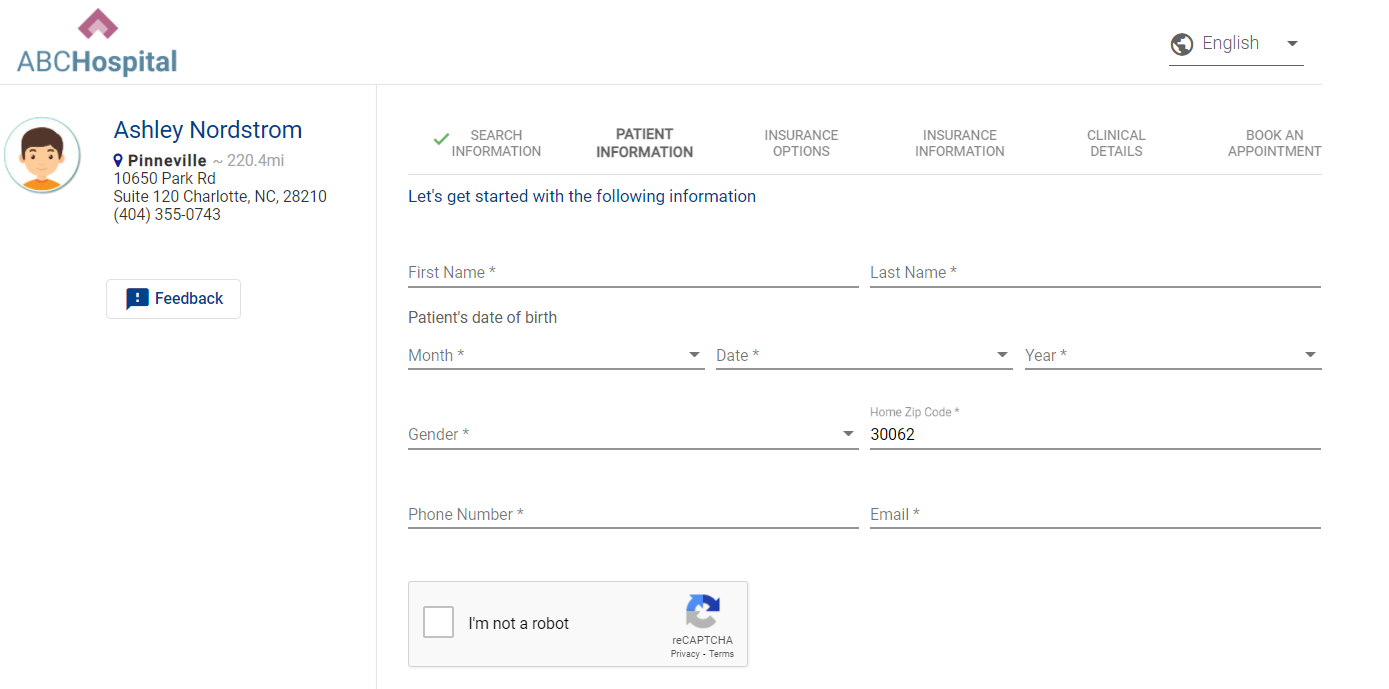
Patient Enters in Demographic Information
Our patient matching algorithm uses a combination of the six pieces of demographic information collected on the first screen.
Patient First Name
Patient Last Name
Date of Birth
Patient e-mail address
Zip Code
Phone Number
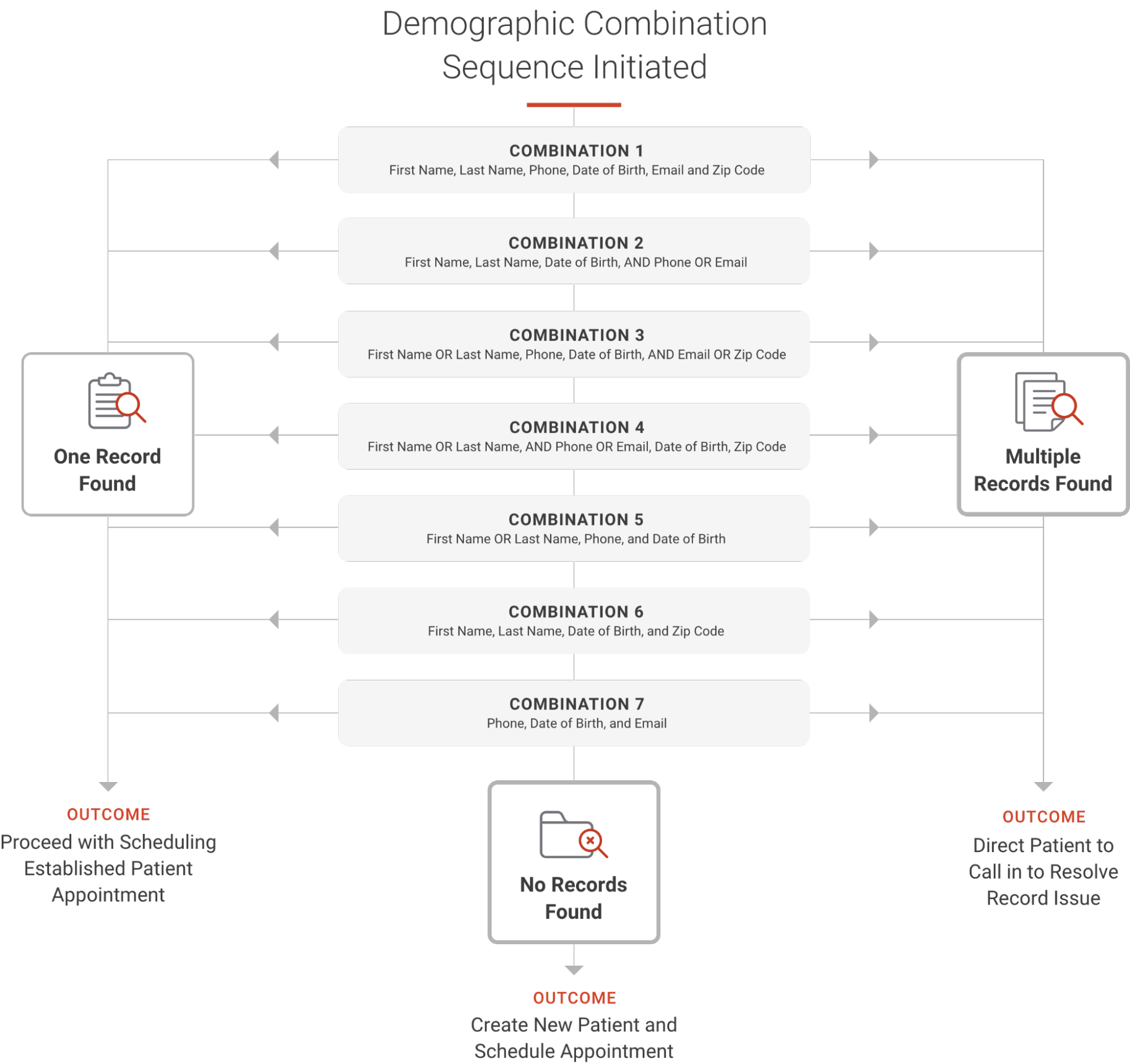
In the logic below, you will see how our algorithm attempts different combinations of the demographic fields. We try seven combinations that can lead to the below results. When we try the first combination, if no record is found, we will try the second combination, and so on until all are complete. We try multiple combinations to ensure we are not erroneously creating new patients.
General Info & FAQs
When opening up access to patients, we cannot account for every scenario. Please see the below notes on this algorithm.
We do not account for nicknames. We will search for the name that exists on the patient record.
When searching across phone numbers, we are searching home, cell, work.
We do not reference historical demographic information in our algorithm. For example, if a patient updated their address three months prior, our algorithm cannot reference this information.
We do not collect SSN in DASHself. Our data shows that many patients abandon the process due to the risk of this not being secure.
This algorithm does not differentiate if any of the fields are NULL or do not contain the data. It requires the appropriate values in the fields. It works when the value is present on the above-mentioned fields.
Once the right match is found with the few of the data that are different and are not considered in the algorithm above, the system only updates those values once the patient reaches the last screen and fills in the additional demographic information.
Q: What isn’t accounted for in the patient matching algorithm?
A: The matching is created to account for as many scenarios as possible to reduce the likelihood of duplicate patient entries being created in your system. For example, we do not have the ability to account for misspellings. If a patient accidentally spells their name wrong, there is a risk of a new patient record being created. Additionally, nicknames aren’t included -- just the name existing on the patient record.
Q: What phone numbers are included in the phone matching?
A: Home, cell, and work phone numbers are searched.
Q: Does the algorithm reference historical demographic information?
A: Only current information is searched for matching. For instance, if a patient updated their address three months prior, it’s not referenced in the algorithm.
Q: Do you collect SSNs in DASHself?
A: No, data shows that many patients abandon the process due to a perceived security risk if SSN is requested.
Q: How does the patient matching algorithm respond to empty fields?
A: This algorithm does not differentiate if any of the fields are NULL or do not contain the data. It requires the appropriate values in the fields, matching when the value is present on the above-mentioned fields.
Q: When is the patient’s data actually updated in the system?
A: While the patient enters information early on in the registration process, the patient’s data is not updated until the entire scheduling flow is completed. This allows for additional information to be collected before updating the patient record. This is true for both updating a matched patient record as well as when a new (unmatched) record is created.
Need a PDF version to share with your team for training?